

Hey Thrill Seekers,
Planning your visit to Universal Orlando Resort? One of the easiest ways to streamline your experience is by adding your park tickets directly to the Universal Orlando app.
If you’ve purchased your tickets through Orlando Attraction Tickets, you can quickly link them to the app and keep everything in one place ready to scan at the parks, access ride times, and more.
Here’s exactly how to do it 👇
📱Step-by-Step: How to Link Your Universal Tickets to the App
1. Download the Universal Orlando App
First things first, make sure you have the official Universal Orlando app installed on your smartphone.
👉 Download it here:
https://www.universalorlando.com/web/en/gb/landing-page/mobile-app
The app is available on both iOS and Android devices.
2. Open the Universal Orlando App
Once downloaded, open the app and allow any necessary permissions so you can use all features, including ticket access and park updates.

3. Log In or Create an Account
To link your tickets, you’ll need a Universal account.
- Existing user? Simply log in
- New user? Follow the prompts to create an account in just a few steps
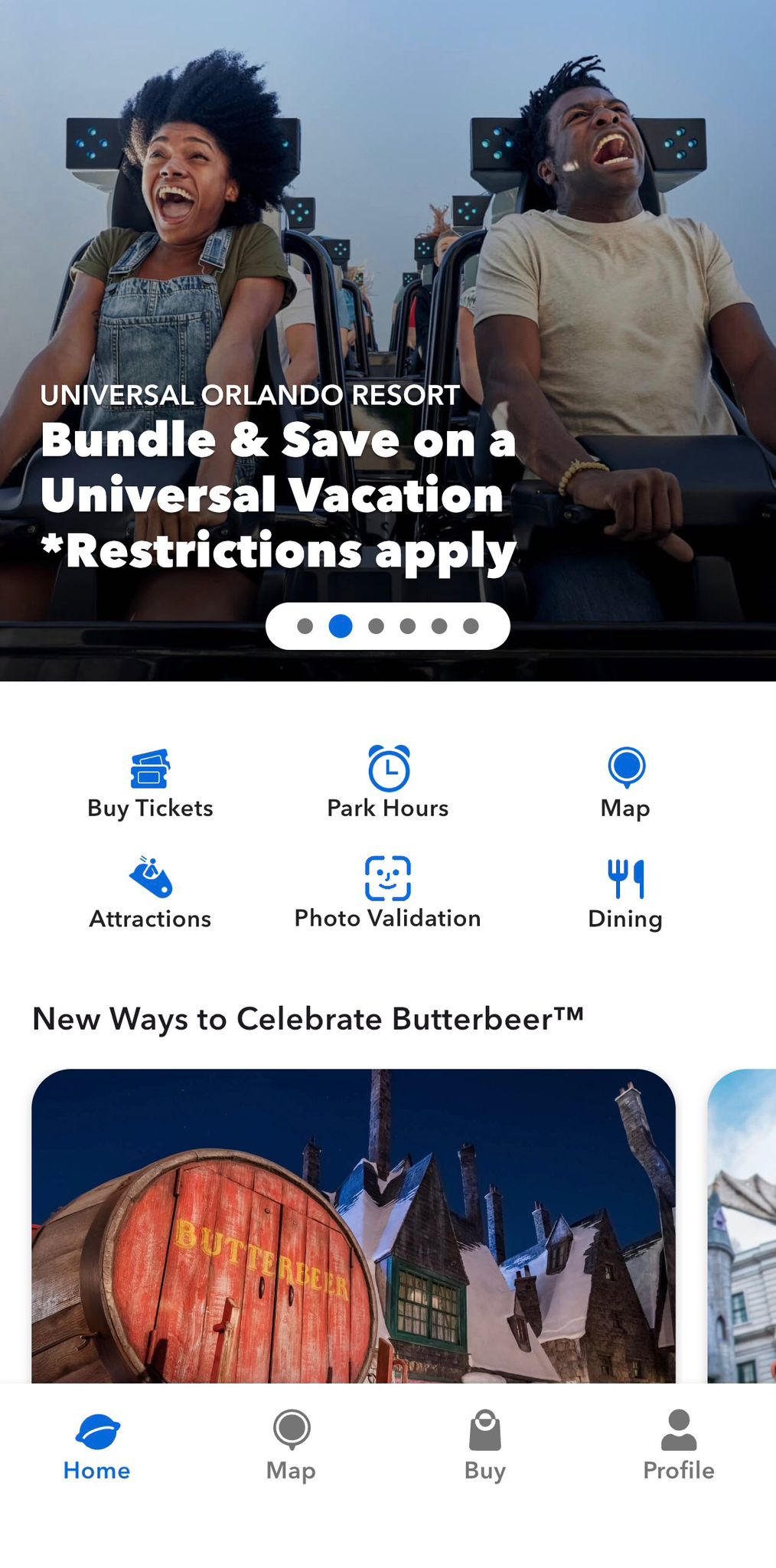
👉 Explore Universal Orlando Tickets
4. Go to Your Profile
After logging in:
- Tap “Profile” (the 4th option along the bottom menu)
This is where all your personal details and tickets are stored.
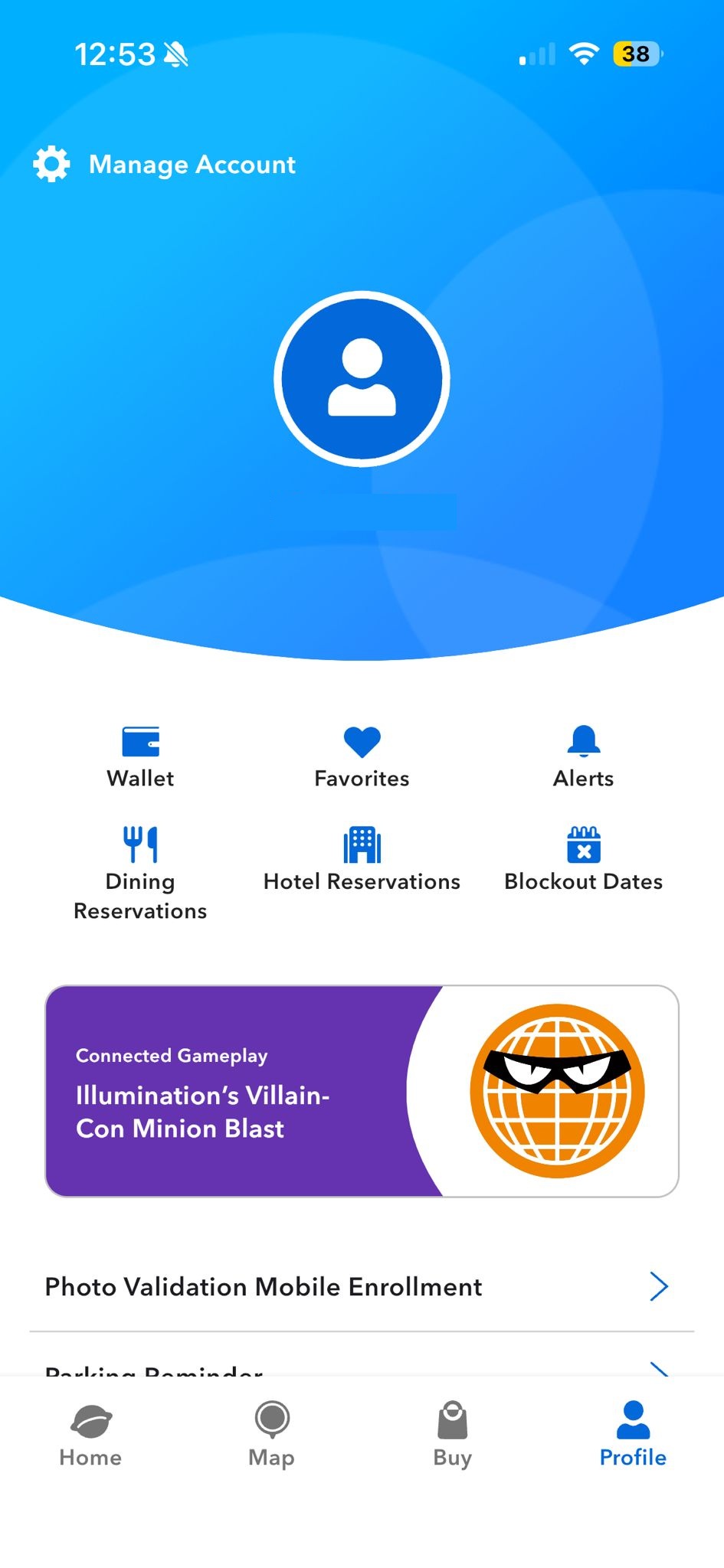
5. Open Your Wallet
Inside your profile:
- Tap “Wallet” (first option at the top)
Your Wallet is where your tickets, passes, and payment methods are kept.
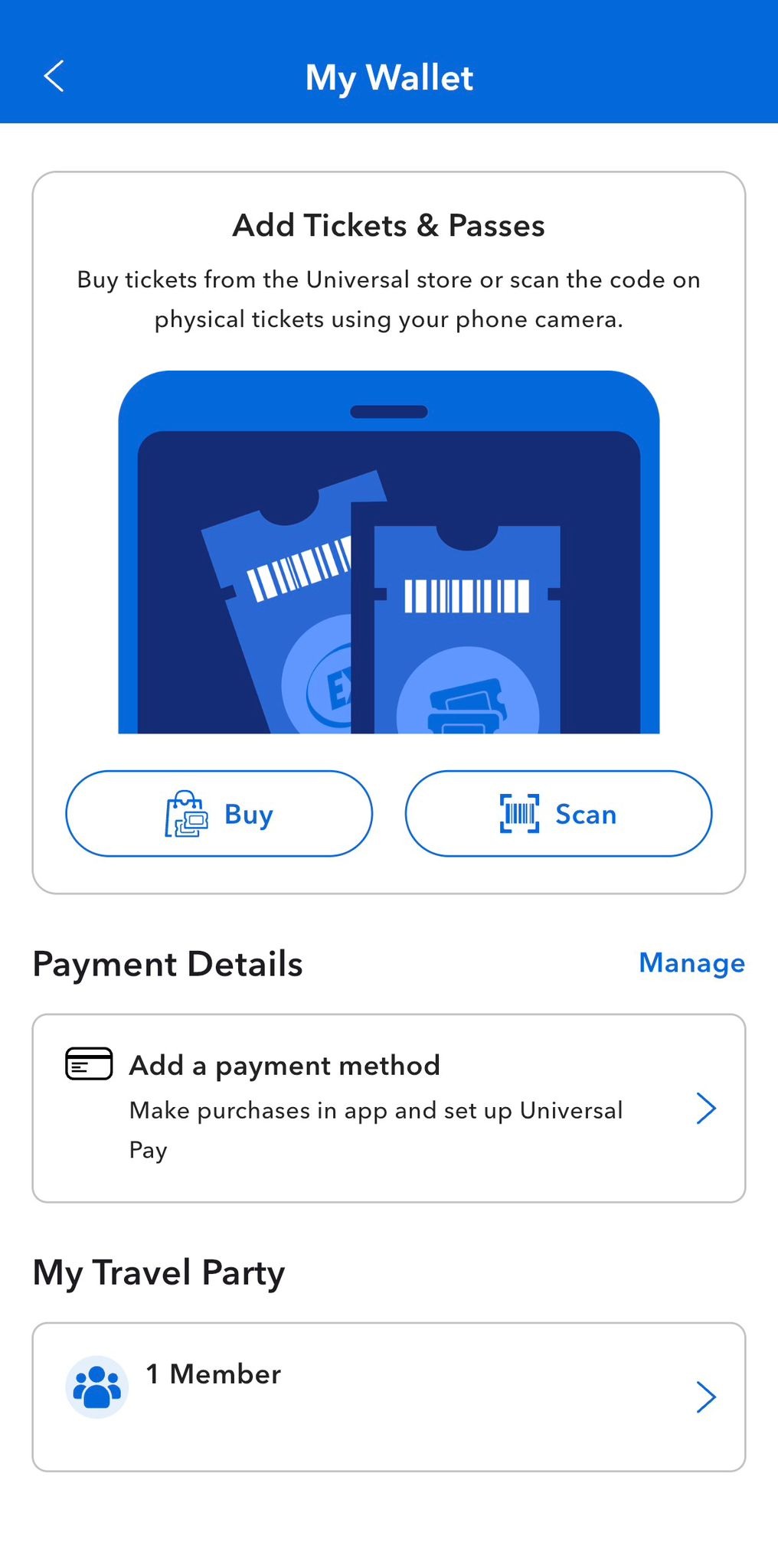
6. Tap “Scan”
Next:
- Select “Scan” (second option at the top)
This allows you to add your tickets using your phone’s camera or manually.
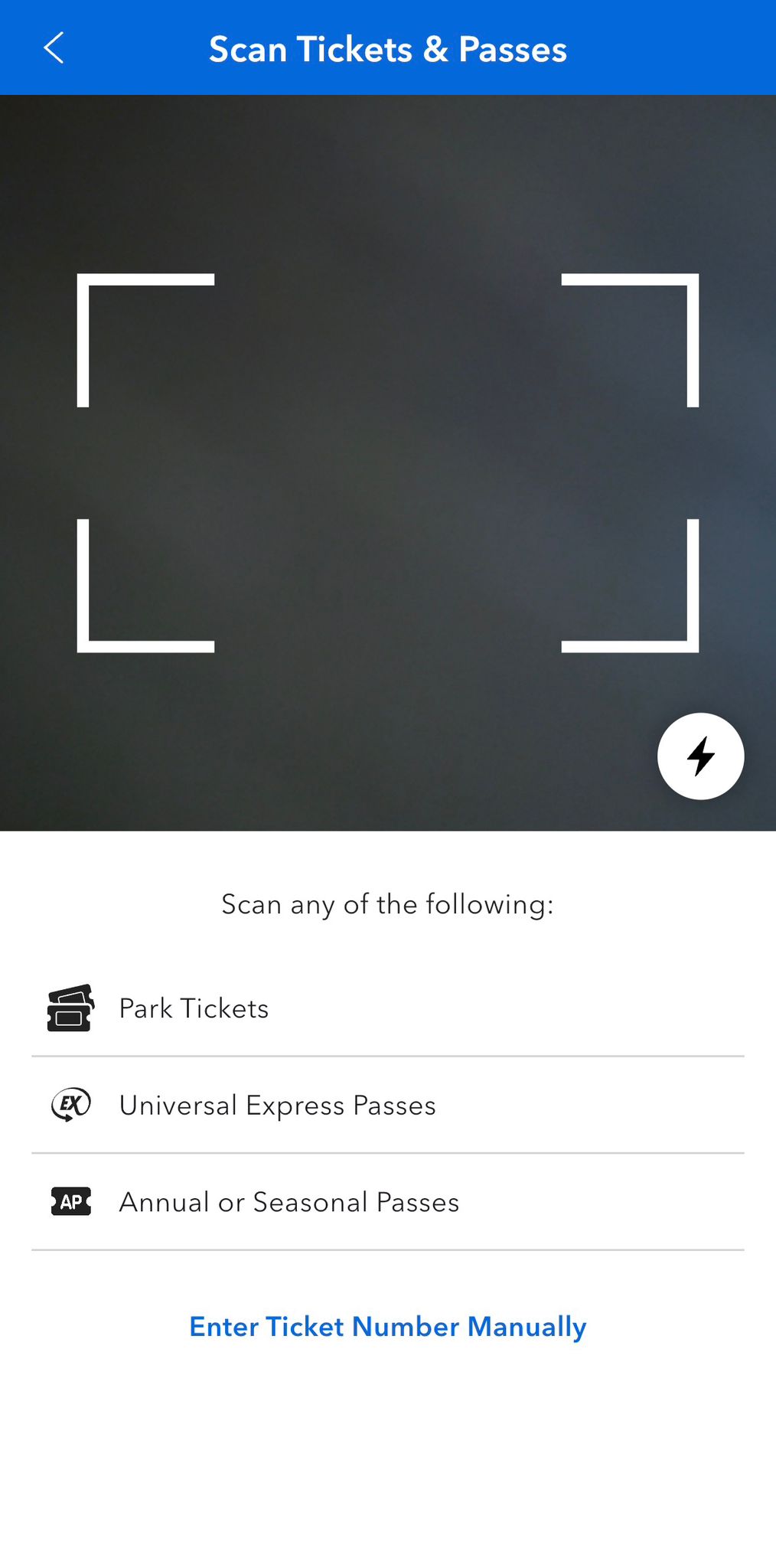
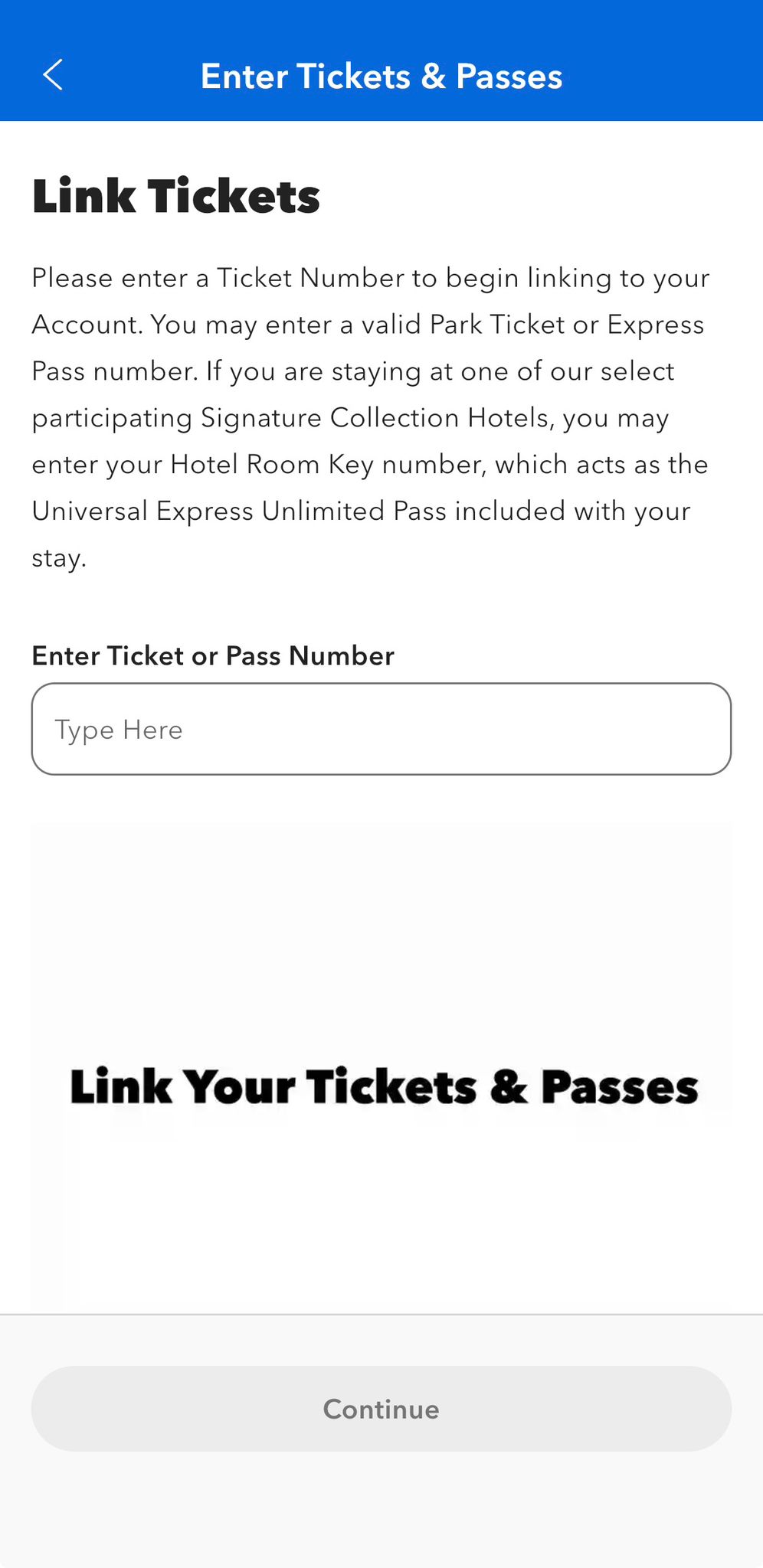
7. Add Your Ticket
You now have two options:
- Scan the QR code on your ticket confirmation
- Enter your ticket number manually
Once added, your tickets will appear in your Wallet ready to use!

Why Add Your Tickets to the Universal App?
Linking your tickets makes your park experience smoother and more convenient:
- 🎟️ Quick access at park entry
- 📱 No need to print tickets
- ⏱️ View live wait times and park info
- 🗺️ Use the interactive park map
- 🍽️ Mobile food ordering (select locations)
💡Top Tip
Make sure everyone in your party’s tickets are added to one device if you’re managing entry for a group it makes scanning into the parks much faster.
💭Final Thoughts
Adding your Universal tickets to the app only takes a couple of minutes, but it can save you time and hassle during your holiday. It’s one of the easiest ways to stay organised and make the most of your visit to Universal Orlando Resort.
Smiles included…
Jamie

